
Punchy Time Attendance System
Punchy is a web system that receives punches from fingerprint devices or from employees' phones in all your branches, and works out for each employee every day: when they came, when they left, how many minutes late they were, how much overtime they worked and whether they were on leave. At the end of the month the summary is ready for payroll.
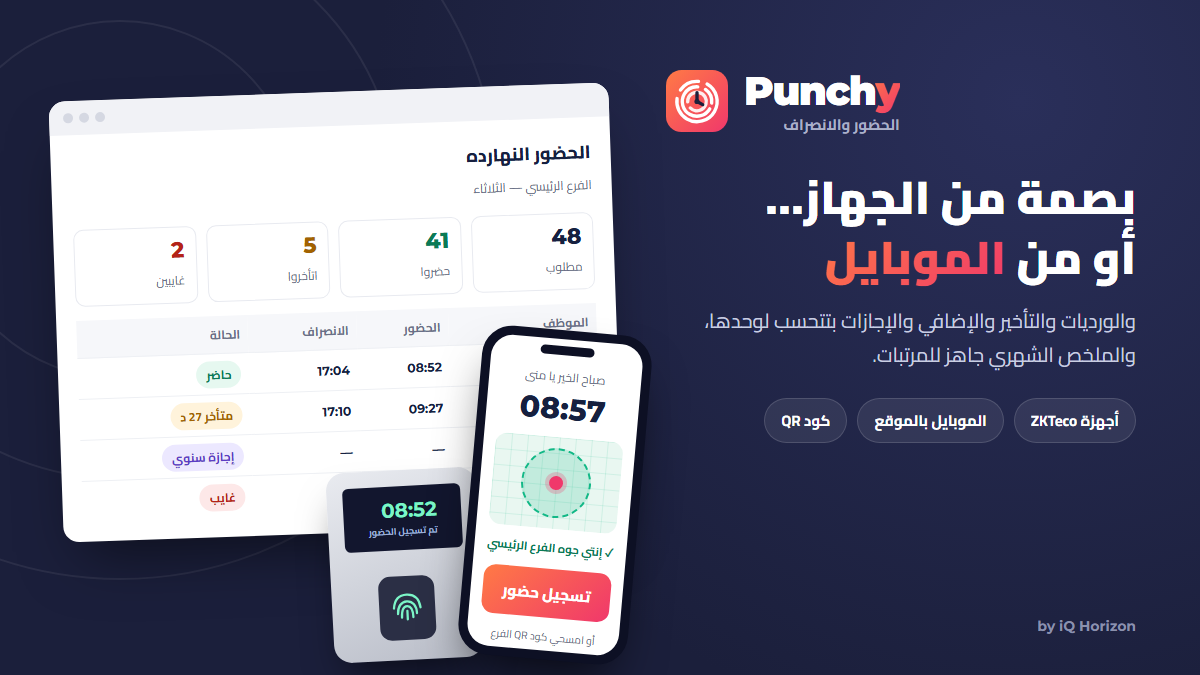
Works with ZKTeco fingerprint devices
- Punches reach the system on their own every minute
- If the internet drops, no punch is lost: they are sent as soon as it is back
- All devices and branches on one screen, with each device's connection and its last punch
- Employees and old punches are moved over from the ZK software with nothing lost
No device needed: punch from the employee's phone
You do not have to buy a device. Employees check in and out from their phones, and you choose how the system makes sure they are really at work:
- By location (GPS): a punch is accepted only inside a circle around the branch, for example 100 metres
- By QR code: a code on a screen or tablet at the branch keeps changing, and the employee scans it
- By the branch network: a punch is accepted only from the branch Wi-Fi
- By selfie: a photo with each punch, so nobody punches for a colleague
- Combine several methods, and use a fingerprint device in one branch and phones in another or for field staff
Shifts and attendance rules
- A shift per employee, department or branch, including shifts that pass midnight
- Grace periods for lateness and leaving early, and overtime worked out on its own
- Rest days and public holidays, with work on them counted as overtime
- When shift times change from a date, past months keep their old results
Leave and permissions
- Leave types you define: annual, casual, sick, hourly permission and work assignment
- Balances worked out from age and years of service, pro rata for new joiners
- Leave never shows as absence, and a permission cancels the lateness in its time
Corrections without deleting the original
- Missing or wrong punches are corrected on screen, with approval
- The original punch stays as it was, and the correction is marked with who made it
Reports and permissions
- Daily attendance, monthly summary, employee report and lateness and absence report
- Excel export with your company name and logo, and PDF printing
- Users and permissions per branch and department, and a log of every change
Frequently asked questions
Does Punchy work without a fingerprint device?
Yes. Employees punch from their phones, and the system checks they are at work by location (GPS), a QR code at the branch, the branch Wi-Fi or a selfie.
Which fingerprint devices does it work with?
ZKTeco devices that work with the ZK software, which covers most fingerprint devices on the market.
I have old data in the ZK software. Will it be lost?
No, employees and old punches are moved over to Punchy.
Does it support several branches?
Yes, each branch with its own devices, shifts and permissions, and you follow all branches from one place.
Does the system work without internet?
Yes. The system can be installed on your own computer in the shop and work without internet, or run online so you can reach it from anywhere.
Do I pay once or subscribe?
It depends on how you run it. The version installed on your own computer is bought once with a permanent license, with no monthly or yearly subscription. The online version is a subscription you pay monthly, or yearly at a discount, and it includes hosting, technical support and backups.
Can I follow the system from my phone?
Yes. The online version works on any phone, tablet or computer, straight from the browser. With the version installed on your computer, you can follow it from your phone inside the shop with no subscription. Following it from outside the shop is also possible with a monthly or yearly subscription, and needs an internet connection at the shop at certain times.
Can I start with one version and switch later?
Yes. You can start with the version installed on your computer or with the online version, and switch between them later at any time without any problem.
Are updates and custom changes included?
Updates and changes for your business are done on request, and their cost depends on the size of the work, whether your version runs online or on your own computer.
Can I try the system before buying?
Contact us and we will arrange a demo of the system you are interested in.